Why Use Mods in ETS2 1.55
Euro Truck Simulator 2 is one of the most loved driving simulators, and mods make it even more exciting. With the right files, you can add new trucks, trailers, maps, skins, weather systems, or realistic physics. Mods are very popular among ETS2 players in the Europe and worldwide because they bring variety and realism to the game.
Preparing Your Game
Before installing anything, make sure you have the latest version of ETS2 1.55. Always download mods that are marked as compatible with this version, since outdated files can cause errors or crashes. Most ETS2 mods come in the form of “.scs” files, which are easy for the game to read.
Installation Steps
- Download the desired mod file for ETS2 1.55.
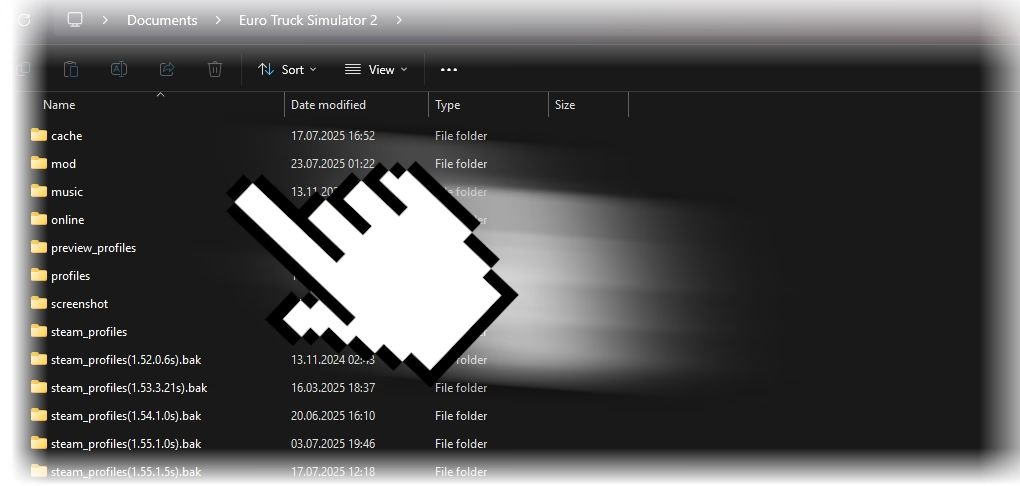
- Open your Documents folder and find Euro Truck Simulator 2.
- Locate the mod folder. If it does not exist, create it manually.
- Place the “.scs” files you downloaded into the mod folder.
- Start ETS2 1.55 and open the Mod Manager from the main menu.
- Select the mods you want to use and move them to the active side. Adjust the order if you are running multiple mods.
Enjoying the Game with Mods
Once you enable your mods, load your profile and start driving. You will immediately notice the changes, whether it is new trucks, realistic graphics, or expanded maps. Mods can transform Euro Truck Simulator 2 into a much richer and more personal experience.
By keeping your mods organized and activating them through the Mod Manager, you can enjoy smoother gameplay and explore everything ETS2 1.55 has to offer.